Why Can’t We Automate the UI Development Journey Too?
AI is changing the way software is developed.
We can generate code from prompts, create APIs faster, assist with testing, debug applications, document code, and even build functional prototypes within minutes. A considerable amount of discussion around AI-assisted development has therefore focused on one question: How much faster can we write software?
But recently, another question has been on my mind.
What about UI/UX?
No matter how sophisticated the back-end is, users eventually interact with screens. And creating those screens still involves a surprisingly long journey from an idea to something that becomes part of the actual application.
If we are automating development, why can't we automate more of that journey too?
The Same Screen Is Often Created Twice
Think about a typical UI change.
Someone comes up with an idea or identifies a usability problem. Requirements are discussed. A designer translates the idea into a screen. The team reviews it, provides feedback, and perhaps goes through several revisions.
Eventually, everyone agrees: this is how the screen should look and behave.
But that isn't the end.
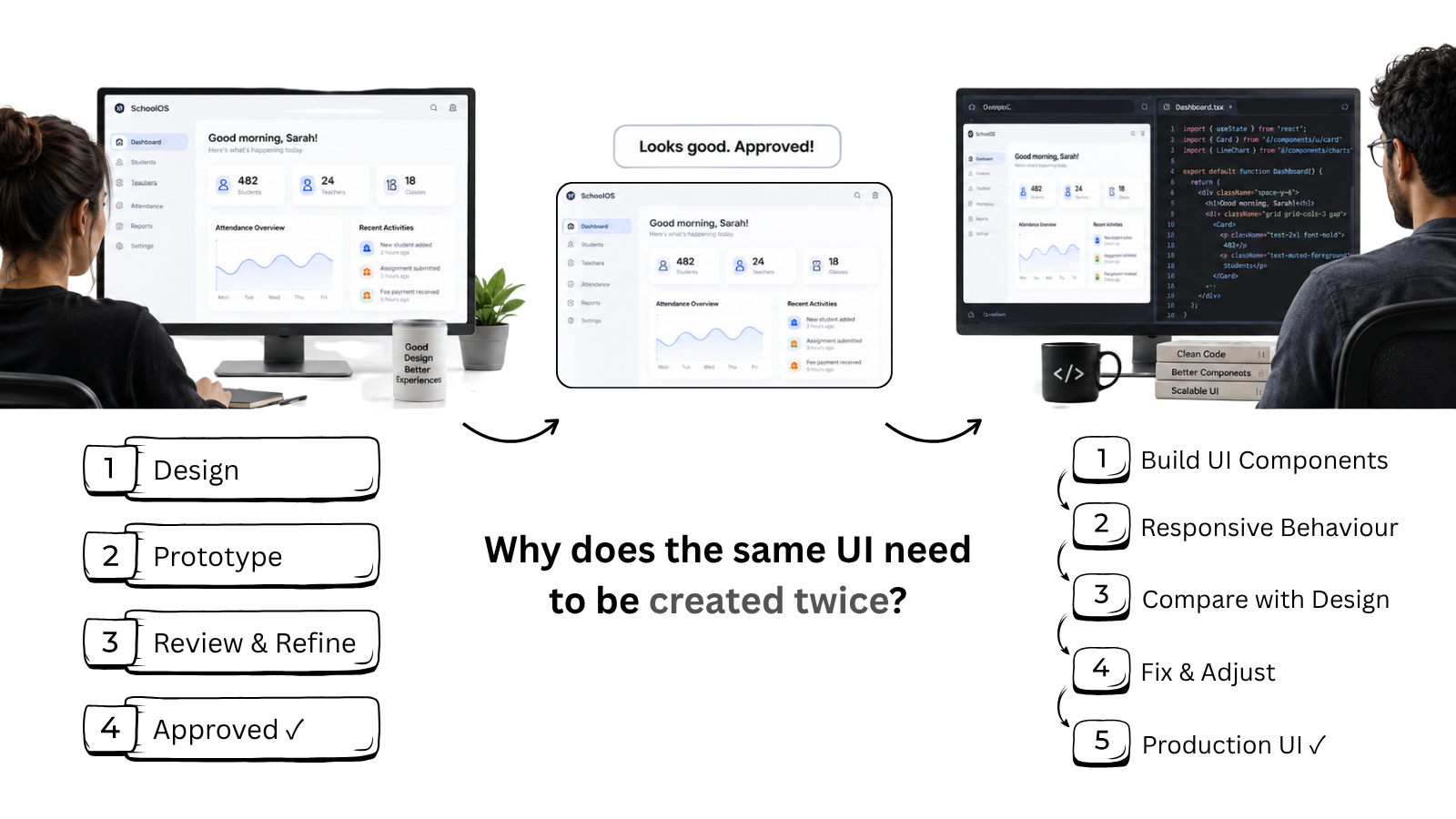
The approved design is handed over to a front-end developer. The developer then recreates the interface using HTML, CSS, components, or whichever front-end framework the application uses.
After development, the screen is compared with the approved design. Spacing may be different. A component may behave differently. Responsive views need adjustment. More feedback follows, and another round of corrections begins.
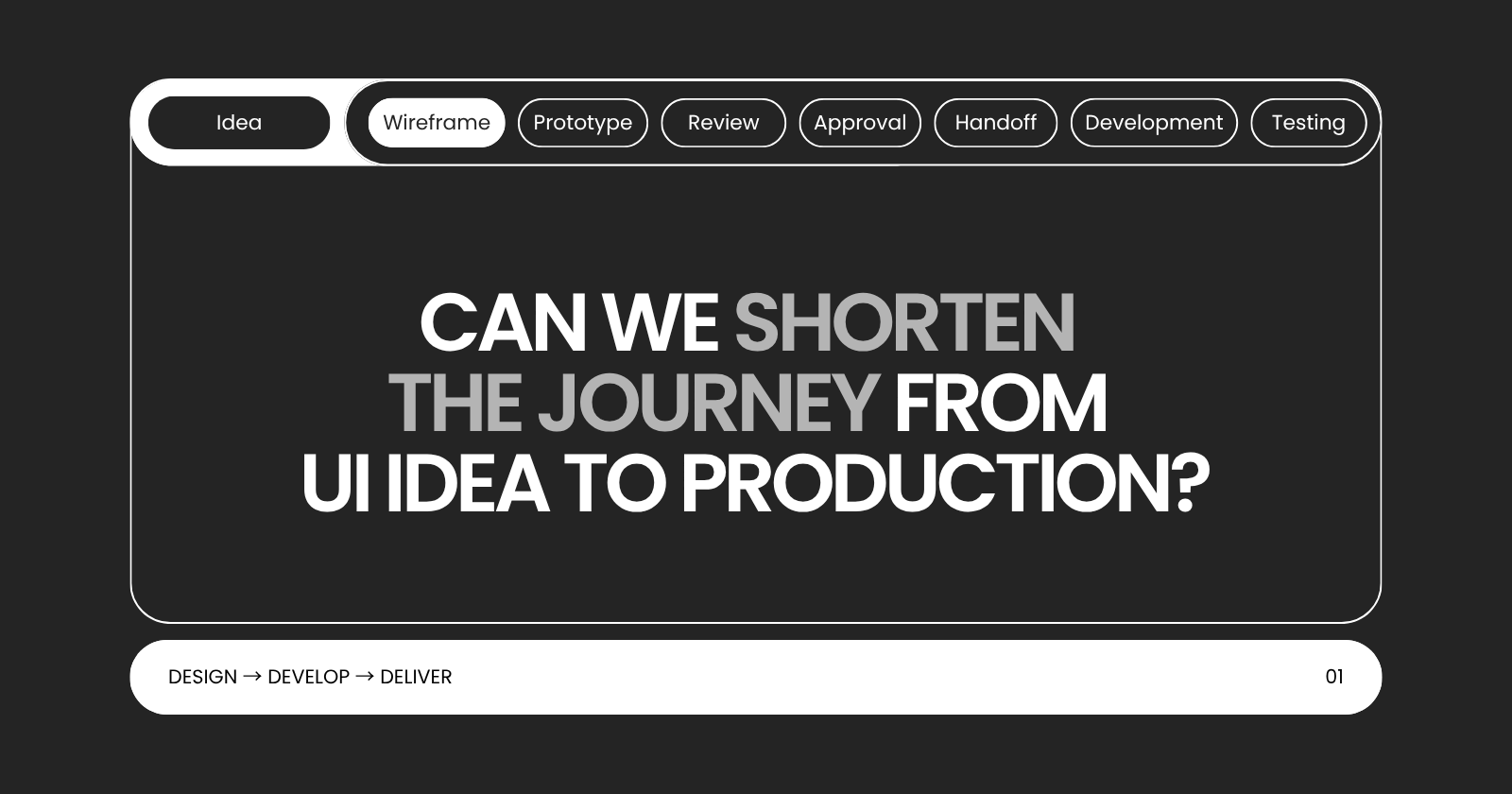
The workflow can look something like this:
Idea → Design → Prototype → Review → Revision → Approval → Developer Handoff → Front-end Development → Integration → UI Testing → Correction
There is an interesting duplication hidden inside this process.
We first create the interface so that everyone can see and approve it.
Then we create essentially the same interface again so that users can actually use it.
AI may help the developer complete the second part faster. But that leads to a bigger question:
Do we always need that second recreation in the first place?
Technology Is Beginning to Shorten the Gap
This is where things are getting interesting.
Design-to-code tools have existed for some time, but newer AI-assisted approaches are going beyond simply exporting CSS or generating static HTML.
Today, there are several directions emerging.
Prompt-to-UI tools can create functional interfaces from natural-language descriptions. Instead of beginning with an empty canvas, teams can generate a working starting point and refine it visually.
Design-to-code systems can interpret layouts, components, spacing, and styles and convert them into front-end code. Some now support frameworks such as React, Angular and Vue and can work with an organization's existing design system or components.
AI-assisted design environments are beginning to combine visual editing and functional code in the same workspace. Figma Make, for example, can generate editable front-end experiences from designs and prompts, while newer capabilities are exploring working with production codebases and moving changes back toward pull requests.
Another interesting development is the use of MCP and AI coding agents to connect design context with development environments. Instead of a developer manually interpreting a design, an AI coding environment can increasingly receive structured information about the design itself. Locofy, for example, now exposes Figma-to-code workflows through MCP-compatible coding tools, while the Figma–Codex integration is exploring movement in both directions between code and the design canvas.
That suggests a different future workflow:
Idea → Interactive UI → Review → Refine → Approve → Connect to Application → Validate
The important word here is not generate.
It is connect.
Automation Should Remove Steps, Not Just Perform Them Faster
This distinction matters to me.
Suppose AI converts a screenshot into HTML in thirty seconds. That looks impressive.
But what happens next?
If a developer has to rewrite most of that HTML, replace generated elements with the application's existing components, fix responsiveness, connect APIs, implement permissions, restructure the code and make it maintainable, then we haven't really automated the UI development workflow.
We have automated its first draft.
There is still value in that. A first draft produced in minutes can save significant time.
But true workflow automation should eventually mean removing unnecessary translation between design and development, rather than simply making that translation faster.
Imagine a designer working with the actual component library used by the product. The product team reviews a functional screen rather than a static representation. Changes are made there. Once approved, those decisions can move into the application without another person having to recreate every visual element manually.
That is a much more interesting possibility than simply asking AI to “write the HTML.”
Then Why Aren't We Already Doing It?
Because a production UI is much more than what appears on the screen.
A generated dashboard can look beautiful and still be nowhere near production-ready.
Real applications have application state, API interactions, authentication, role-based permissions, form validation, accessibility requirements, localization, responsive behavior, error handling, performance considerations, reusable components and complicated business rules.
Enterprise applications add another challenge: consistency.
A newly generated screen cannot behave like an independent mini-application. It needs to belong to an existing product—using the same components, patterns, navigation behavior and development standards as hundreds of other screens.
There is also maintainability.
Generating code once is relatively easy. Ensuring that another developer can understand, extend and safely modify that code two years later is a very different requirement.
This is why current design-to-code technology should still be approached with some caution. Even as vendors increasingly describe their output as production-ready, independent evaluations continue to find that generated UI often works best as scaffolding or a strong starting point rather than untouched final production code.
Maybe Complete Automation Isn't the Goal
Perhaps asking whether AI can completely automate UI/UX is the wrong question.
Design still requires understanding people.
Someone has to ask whether a workflow makes sense, whether information is easy to find, whether an interaction is confusing, and whether the interface actually solves the user's problem.
Developers still need to think about architecture, maintainability, security, accessibility, performance and integration.
Those responsibilities don't disappear because AI can generate a screen.
But the distance between those responsibilities can become much shorter.
If a team has already imagined a screen, created it, discussed it, changed it, tested the idea and approved the experience, perhaps we shouldn't automatically accept that another person must rebuild the same thing before it becomes real.
For years, we have been asking:
How can technology help developers build UI faster?
Maybe it is time to ask a slightly different question:
How much of the journey between designing a UI and using it in production should need to exist at all?